Search Console tells you what Google paid for with clicks. A rank tracker tells you where you sat on the SERP that day. You need both.
Average position in Search Console is a blended figure across queries and devices. It is not a daily rank you can show as 'we moved from 8 to 4'.
Buy a rank tracker for keywords, a reporting layer for client PDFs, and an AI visibility tool only if LLM mentions are in the brief.
Report unbranded share of voice, money-term ranks with the ranking URL, and organic conversions. A wall of green arrows is not a result.
SparkToro and Datos found that for every 1,000 US Google searches in 2024, only 360 clicks reached the open web. Rank without traffic is a vanity metric.
What SEO Ranking Reporting Software Is
If you want your SEO reporting ready for 2027, start with the stack, not another vendor leaderboard. SEO ranking reporting software answers two separate questions: where your pages sit in search results, and how you prove that work to a client or a board.
A rank tracker checks a keyword in a location, on a device, and records the URL and the position. A reporting layer packages that data with Search Console, Analytics, and paid channels into something a non-SEO can read. They are not the same product. Roundups that dump AccuRanker, Looker Studio, and ChatGPT mention tools into one league table are mixing jobs. For the on-page work those reports should prove, start with our SEO basics guide.
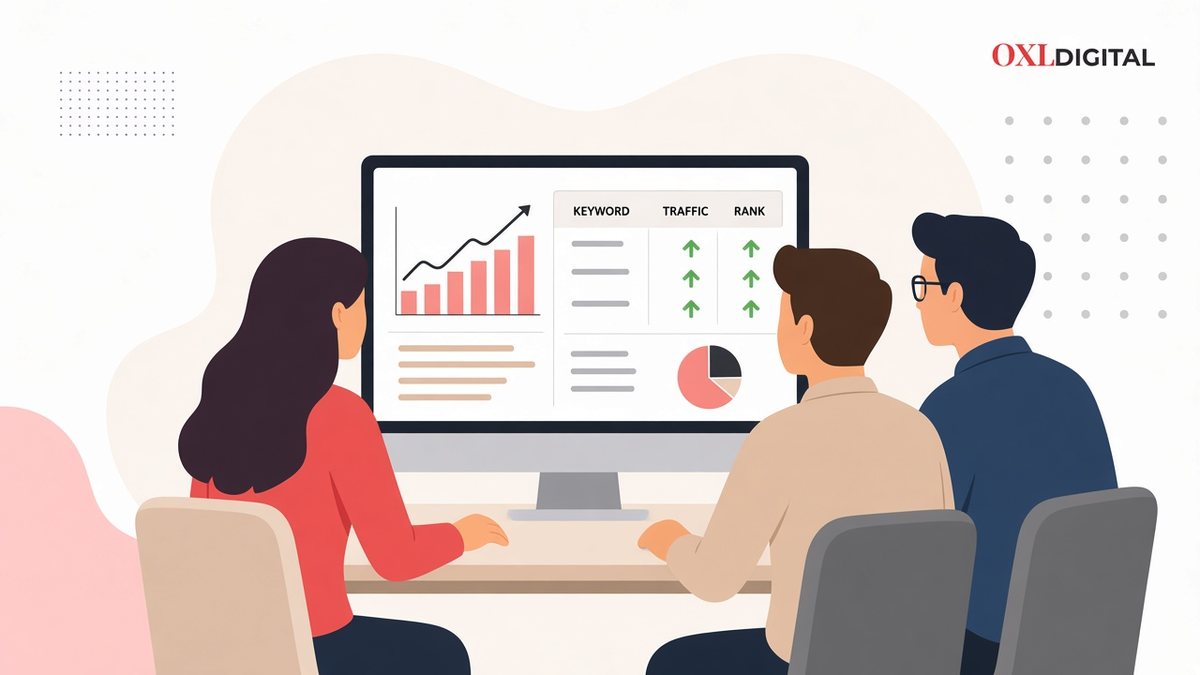
Rank, traffic, and conversions belong on the same screen. A position chart on its own is not a report.
Google Search Console is Google’s own log of what it showed and what people clicked. Rank software sits beside it because Console cannot give you a clean daily rank for one city, one device, and one keyword on demand. Google's SEO starter guide is still the right baseline before you buy another dashboard.
"If the tool cannot tell you the URL that ranked, the location it ranked in, and whether the click followed, it is not a ranking report. It is a screenshot."
Why Rank Reports Fail Without Traffic
Rank still matters. It is no longer the whole story. SparkToro's 2024 study with Datos found that just under 60 percent of US Google searches ended without a click, and that for every 1,000 US searches only 360 clicks reached the open web. In the EU the open-web figure was 374. AI Overviews, featured snippets, maps, and sitelinks all sit above the blue link you used to call “position one”.
That is why software that only paints green arrows is a liability. A page can rise from 8 to 3 and still lose clicks if an AI Overview or a map pack took the traffic. You need rank for diagnosis, Search Console for clicks, and Google Analytics 4 for the conversion. The reporting product is the thing that holds those three together without a weekly spreadsheet.
How Rank Tracking Actually Works
Most trackers do not read your Google account. They send a search from a location (city, postcode, or country), on desktop or mobile, and parse the results page. Good software stores the ranking URL, the SERP features present, and a history you can chart. Cheap software stores a number and hopes you do not ask which page ranked.
-
1
Query - The tracker searches the keyword from a defined location and device. Local packs and AI Overviews only appear if that SERP actually shows them.
-
2
Parse - It records which URL ranked, at which position, and which features sat around it (ads, maps, video, AI Overview).
-
3
Compare - It plots history, share of voice against competitors, and (if you connected Console) whether impressions and clicks moved with the rank.
-
4
Report - A PDF, a Looker Studio dashboard, or a client portal sends the story on a schedule so nobody screenshots Google at 11pm.
Search Console does a different job. Google’s own documentation defines average position as a blend of every impression. If you ranked 2 for one query and 3 for another, Console shows 2.5. It is not “we are position 2.5 in Faisalabad on mobile”. Treat Console as click truth. Treat a tracker as SERP truth. Argue from both.
The Three Layers of a Reporting Stack
Buy against the job you need in 2027, not against a “best of 13” list written by a vendor that put itself first.
| Layer | Job | Typical tools | Skip if |
|---|---|---|---|
| First-party | Clicks, queries, index issues | Search Console, GA4 | Never skip |
| Rank tracker | Daily position, local, competitors | AccuRanker, Nightwatch, SE Ranking, Ahrefs, Semrush | One site, 20 keywords |
| Reporting layer | White-label PDFs, multi-channel | AgencyAnalytics, Looker Studio, native PDF in the tracker | In-house, one brand |
| AI visibility | Mentions in ChatGPT, Perplexity, AI Overviews | Ahrefs Brand Radar, SE Ranking GEO, Nightwatch AI, specialist GEO tools | Not in the brief yet |
An agency with 40 clients needs a reporting layer more than it needs a fifth keyword research suite. A local clinic needs postcode-level tracking more than it needs LLM sentiment. A SaaS content team already paying for Ahrefs rarely needs a second crawler. Match the layer to the constraint.
How to Choose the Right Tool
Ignore feature grids until you can answer these eight points in writing. If a salesperson cannot map their product to this list, keep walking.
- Keyword volume and refresh - Daily updates for commercial terms. Weekly is fine for a long-tail blog set. On-demand recrawls matter when a client calls about a drop.
- Location grain - Country, city, or postcode. “Pakistan” is useless if you rank in Lahore and vanish in Karachi.
- Device split - Mobile and desktop stored separately. Blended rank hides a mobile collapse.
- Ranking URL, not just a number - You need cannibalisation. Two URLs swapping positions is a content problem, not a “volatility” excuse.
- Share of voice - Weighted visibility beats a raw average of 50 keywords with wildly different volume.
- Console and Analytics join - Rank up, clicks flat is the report that should change the work. If the tool cannot show both, you will stitch it in Sheets every month.
- White-label and seats - Agencies pay twice when PDFs still say AccuRanker and every extra user is a line item.
- History you can export - If you leave, you should take three years of ranks with you. Hosted-only history is a lock-in fee.
Best Tools to Be Ready for 2027
Prices below are public list prices checked in October 2026. Re-check before you renew in 2027. Annual billing usually cuts them. Always confirm on the vendor site before you budget. This is not a paid ranking, and no vendor wrote it.
| Tool | Buy it for | From | Watch-out |
|---|---|---|---|
| Google Search Console | Clicks and query truth | Free | Average position is blended, not a daily rank |
| AccuRanker | Fast, accurate SERP tracking | $224/mo Professional | Pricey if you only need a suite’s tracker |
| SE Ranking | Agencies that want SEO + reports in one login | $129/mo Core ($103.20/yr) | GEO prompts are a quota, not unlimited LLM coverage |
| Nightwatch | Local, segmented, white-label tracking | €79/mo Starter | Starter is 500 keywords; agencies will outgrow it |
| Ahrefs | Research teams that already live in Site Explorer | $129/mo Lite | Lite tracks 750 keywords; Brand Radar AI is extra |
| Semrush | Large teams that also run PPC and content ops | Suite pricing (confirm live) | You pay for a platform. Rank tracking is one module. |
| AgencyAnalytics | White-label client portals across 85+ sources | $20/client/mo (annual) | Native rank tracking is an add-on, not the core product |
| Looker Studio | Custom in-house dashboards | Free | No SERP crawl. You still need a tracker feeding it. |
Google Search Console: start here, stay here
- Use it for - clicks, queries, index issues, CTR drops, and cannibalising URLs.
- Do not - treat average position as a daily city-level rank.
- Pair it with - the SEO basics you already ship: titles, intent, and crawl health.
- Then - Console shows whether the work produced impressions. A tracker shows whether the SERP moved.
AccuRanker: when rank accuracy is the product
- Best for - agencies that must deliver fast, accurate ranks.
- From - $224/mo Professional (October 2026 list price).
- Buy when - rank is a deliverable you cannot be late on.
- Skip when - you already pay Semrush or Ahrefs and track only a few hundred keywords.
SE Ranking: the honest all-in-one for growing agencies
- Best for - rank tracking, a light audit, and scheduled PDFs in one login.
- From - $129/mo Core ($103.20 annual); Growth $279 ($223.20 annual).
- Includes - 2,000 daily keywords and 100 AI prompts on Core; white-label in the Agency Pack.
- Note - GEO coverage is real but quota-based. Treat it as a suite with a good tracker, not an LLM observatory.
Nightwatch: local and segmented SERPs
- Best for - city, language, and device slices plus white-label PDFs.
- From - €79/mo Starter (500 keywords, 5 sites); Professional €159.
- Plus - no per-seat fees; AI prompts across major assistants and AI Overviews.
- Avoid - country-level tracking when the client lives or dies on Maps packs.
Ahrefs and Semrush: buy the suite you already work in
- Ahrefs - Lite $129/mo (750 keywords); Standard $249. Brand Radar and extra AI prompts are add-ons.
- Semrush - buy it when your team already lives in Position Tracking, PPC, and content briefs. Confirm live prices on Semrush’s site.
- Rule - do not add a second rank vendor until you outgrow the suite you already pay for.
- If LLM citations are in the SOW - budget that module explicitly. Do not assume the suite solved AI search.
AgencyAnalytics and Looker Studio: reporting, not crawling
- AgencyAnalytics - from $20/client/mo (annual). Rank tracking is an add-on.
- Looker Studio - free dashboards for in-house teams.
- Job - client portals and blended reports, not SERP crawls.
- Rule - you still need a tracker feeding the dashboard.
AI visibility tools: add them when the brief says so
- Use for - ChatGPT, Perplexity, and AI Overview mentions or citations.
- Examples - Ahrefs Brand Radar, SE Ranking GEO, Nightwatch AI prompts, specialist GEO tools.
- Buy when - the client asks “are we in the answer”.
- Keep - the Google SERP tracker running. GEO is not a substitute for rank.
What to Put in a Client Report
A useful monthly report is short. If it needs a table of contents, you are hiding the result.
- Unbranded share of voice - Weighted by search volume, against two named competitors, for the commercial cluster you actually target.
- Money keywords - 15–30 terms tied to pages that can convert. Rank, ranking URL, clicks from Console, and one line on the action.
- Organic conversions - Leads, sales, or qualified form fills from GA4. Rank without this is theatre.
- Index and crawl health - New 404s, dropped pages, Core Web Vitals that moved.
- What you will do next - Three actions, owners, dates. A report that ends on a chart is a status email, not an SEO programme.
Leave out: 400-keyword tables, domain rating screenshots, and “we gained 12,000 impressions” with no query filter. Impressions on your brand name are not a win you billed hours for.
What to Do, and What to Leave Alone
Do this:
- Track commercial keywords daily in the city you sell in, on mobile first.
- Store the ranking URL. Review cannibalisation every month.
- Join tracker data to Search Console and GA4 in one view, even if that view is Looker Studio.
- Set an alert for a drop of five or more positions on money terms, then check index status before you rewrite the page.
- Export history quarterly to a sheet you own.
Leave this alone:
- Reporting “average rank” across branded and unbranded keywords in one number.
- Paying for a second all-in-one because the first one’s tracker felt slow.
- Treating AI Overview presence as a ranking you can manage like a title tag. You can influence citations. You cannot book position one inside the overview.
- Sending a 40-page PDF nobody reads. If the client only opens page two, make page two the whole report.
How to Get Reporting Ready for 2027 in 14 Days
Days 1–3: freeze the keyword list
Pull 90 days of Search Console queries. Keep terms with clicks or with clear commercial intent. Cap the tracker at what you will actually look at: 50 keywords for one site, a few hundred for an agency retainer.
Days 4–7: pick one tracker, one location grain
Create the project for the city and device that match the business. Add two competitors. Connect Search Console. Do not add every country “just in case”.
Days 8–10: build the report once
One page of share of voice, one table of money keywords, one GA4 conversion widget. Schedule it. If you need white-label, use the tracker’s PDF or AgencyAnalytics. Do not design a new template every month.
Days 11–14: write the operating rules
Who checks alerts. What drop triggers a ticket. When you ignore branded noise. Put that in the retainer so the software does not become a second job.
Common Mistakes That Waste the Subscription
- Trusting Console average position as a rank. Google averages impressions. A tracker samples a SERP. Using one number for both will start a fight you cannot win in a review meeting.
- Tracking 5,000 keywords you never read. Volume is a vendor upsell. A short list you act on beats a warehouse you ignore.
- Country-level tracking for a local business. Maps and “near me” results do not exist on a national SERP the way they exist on a city SERP.
- No ranking URL field in the report. You will miss two pages ranking for the same term until both lose.
- Buying GEO software instead of fixing titles and crawl. If Console shows the page is not indexed, ChatGPT citations will not save the quarter. Fix on-page and technical basics first.
- Letting the vendor rank themselves number one in their own roundup. Read methodology. If there is none, treat the list as an ad.
Common Questions
Do I need ranking software if I have Search Console?
Yes, once you care about a specific city, device, or competitor on a given day. Search Console remains mandatory. It is not a replacement for a scheduled SERP check. If you are still building the site, read SEO basics first.
How many keywords should I track?
Track the terms you will change a page for. For most SME sites that is 30–100. Agencies should price keywords as a cost of delivery, not as a vanity count on a slide.
Should rank reports include AI search?
Include AI Overview presence on the Google SERP you already track. Add a separate LLM tool only if the client asked for ChatGPT or Perplexity mentions. Do not blur those numbers into “average rank”.
What is the cheapest accurate setup?
Search Console plus GA4, plus one dedicated tracker at the lowest plan that covers your locations. Add a reporting layer when you have more than a handful of clients. That beats a $500 suite you use for screenshots.
2027-Ready Buying and Setup Checklist
- Search Console and GA4 are connected and converting
- Keyword list is commercial, unbranded-first, and short enough to review
- Tracker location matches the market you sell in, with mobile stored separately
- Ranking URL and SERP features are in the export, not only a position number
- Share of voice is weighted, and competitors are named
- One scheduled report: ranks, clicks, conversions, next actions
- Alerts exist for money-term drops; index is checked before content is rewritten
- History can be exported; you are not trapped in one vendor’s UI
- AI visibility is a line item only if it is in the scope of work
Conclusion: Get Ready for 2027, Not Another Leaderboard
The best SEO ranking reporting software for 2027 is a short stack you actually operate: Search Console for clicks, a tracker that records the real SERP, and a report that a client will read. Suites, GEO add-ons, and pretty dashboards are optional layers. They are not a substitute for knowing which URL ranked in which city, and whether anyone clicked.
Before 2027 starts, pick the tracker that matches your location grain and keyword count, schedule one honest report, and spend the hours you save on the pages that can move.
If you want that stack built against live Search Console queries, not a copied vendor list, book a call. More from the OXL Digital blog.
Want our articles first in Google?
Add as a Preferred Source on Google